
CoreCP - Creo Companion

Download CoreCP Package

Click the above button to download the installation package

Automated Setup

Double click the downloaded package and specify where to establish you CoreCP Anchor.
eg "D:\Leo\CreoWork\CoreCP"

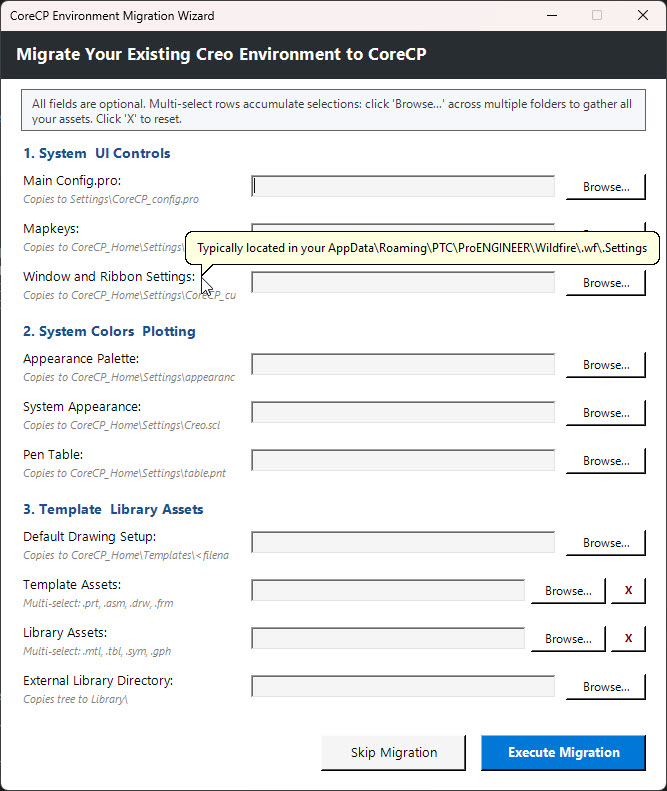
Migration Wizard

It will prompt you for all of your key configuration files then register the Right Mouse Button actions and create two Desktop Shortcuts.

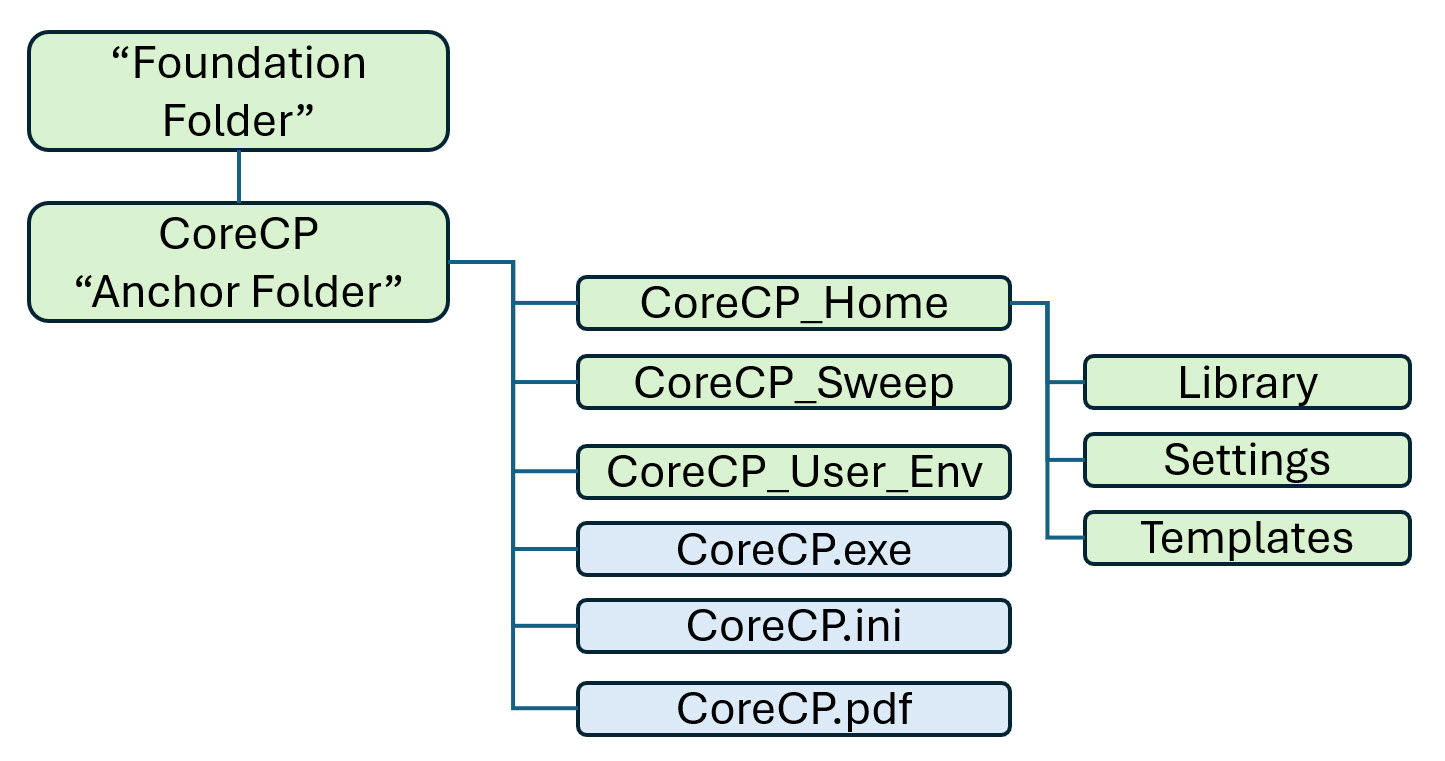
After the Automated Setup
your CoreCP file Structure will look like this:

The Ultimate
Creo Parametric Companion

Download Free Trial Now
CoreCP v5.1

CoreCP Migration Wizard

Bring Your Assets With You Transitioning to CoreCP doesn’t mean starting over. The Migration Wizard easily ingests your existing Creo templates, formats, and system colors into your new environment. Run it during your first setup, or launch it later to accumulate more files. Your original assets are safely copied, and your configurations are intelligently merged.

Your New
Access Points

Once setup is complete, CoreCP automatically generates the following tools on your Desktop and Start Menu:

CoreCP Launcher Shortcut: Named after the ‘Foundation’ folder, double-clicking this launches the newest installed version of Creo Parametric on this main folder, while running the sweep routine.

The Restore Tool Shortcut: Named CoreCP Restore, use this new desktop shortcut to safely browse and recover any older file iterations that were swept into the CoreCP Sweep bin.

Right-Click Context Menus: You can now right-click any folder in Windows Explorer to instantly trigger CoreCP Launcher or run CoreCP Cleaner directly on that specific folder.   

Use Discount Code Intro26
For 25% off!

CoreCP - The Ultimate Creo Parametric Companion

Select the plan that fits your needs:
Choose a 3, 6, or 12-month lease for short-term flexibility, or unlock unlimited lifetime access with a perpetual license.
Buy a license