Dynamic version discovery
CoreCP identifies every Creo Parametric installation on the machine. It launches the latest, unless a baseline setting limits auto-version selection.
CoreCP | Creo Companion
Launch the latest Creo your baseline allows, protect legacy data when it appears, and clean working folders without leaving file Explorer.
CoreCP identifies every Creo Parametric installation on the machine. It launches the latest, unless a baseline setting limits auto-version selection.
CoreCP checks the target data for version compatibility. When legacy data is detected, it offers the valid version options for that folder.
Use a Special Project when a job needs its own Creo version, Windchill login, or settings. Your everyday setup stays unchanged.

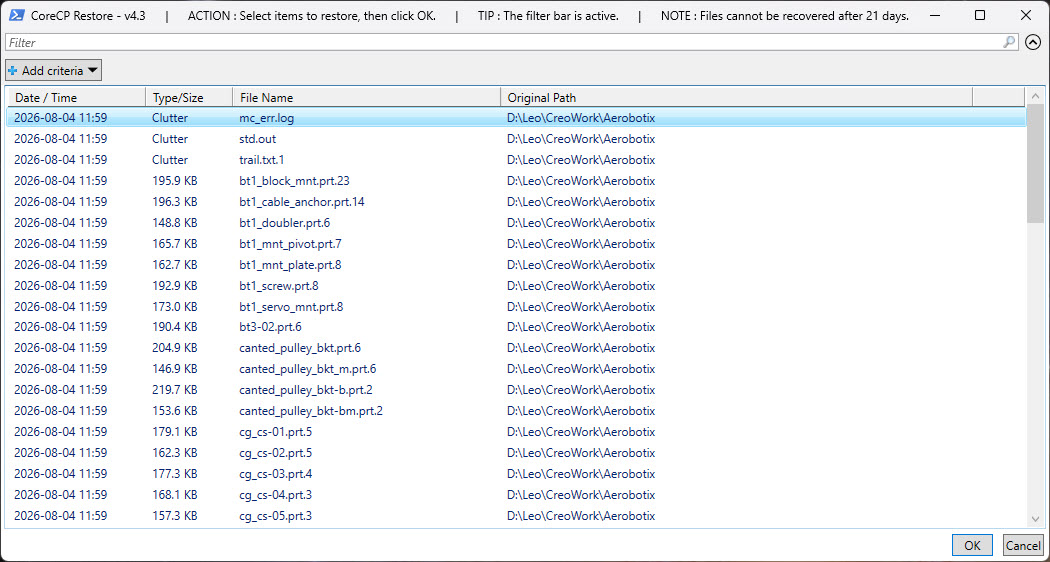
Bypass the launcher. Right-click any directory and CoreCP can clean it in place: older model versions and clutter move to quarantine, and the newest iterations stay.
When the folder is clean, CoreCP counts the remaining part, assembly, and drawing files to give you an inventory of that folder's models.
Swept files stay in quarantine for the number of days you set. Pick what you want back, and CoreCP returns it.