Swept files are not gone forever
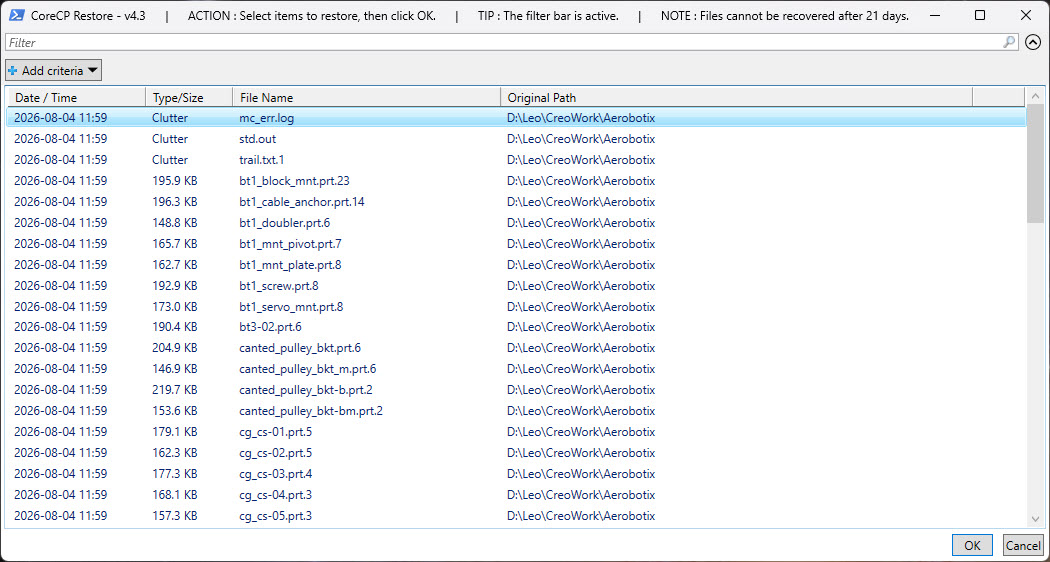
CoreCP Restore holds files in quarantine for an adjustable number of days. Select what you need and it is put back where it came from. Sort and search options are included.
CoreCP | Creo Companion
Swept files are recoverable. CoreCP checks each folder for version compatibility and, when the data is legacy, offers the valid choices before a irreversible data upgrades.
CoreCP Restore holds files in quarantine for an adjustable number of days. Select what you need and it is put back where it came from. Sort and search options are included.
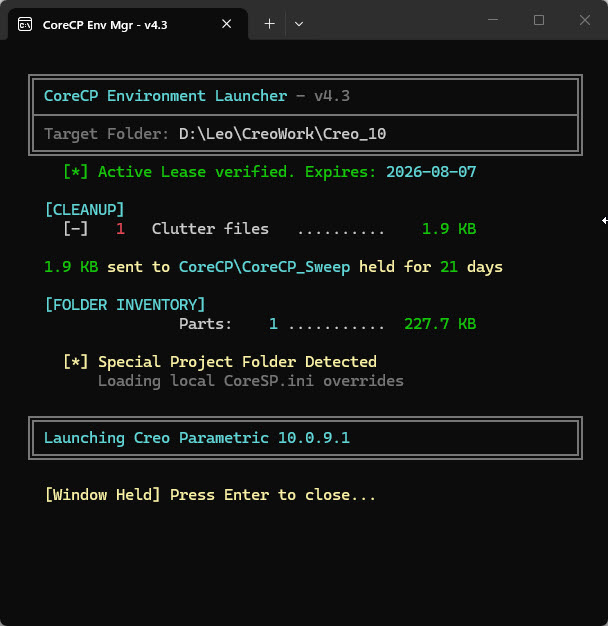
Placing a CoreSP.ini file in a folder designates it as a Special Project with project-specific overrides. CoreCP launches the specified Creo version, sets the working directory, and builds an isolated setup:
PTC_WF_ROOT to redirect creo_parametric_customization.ui, mapkey.proas well as Windchill Client-side Workspace cache to the automatically created CoreSP_UserEnv sub-folder.config.pro template for overrides.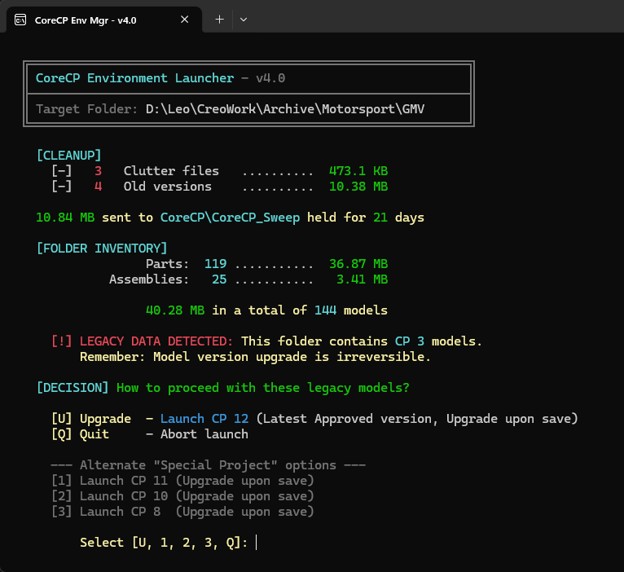
CoreCP reads the target data and compares it with the installed Creo versions. If the version that created the files is missing, it stops and offers the valid options for that folder before an irreversible upgrade.
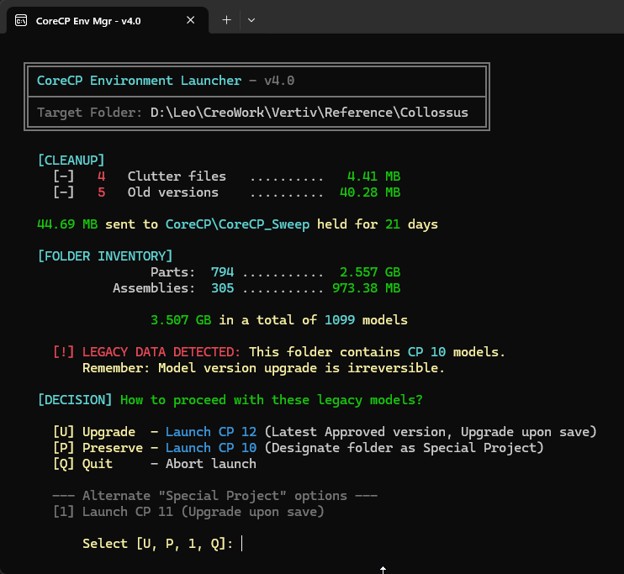
If an installed Creo can still open the folder’s data, one of the options is to preserve it. That choice marks the folder as a Special Project so a newer Creo does not convert the files.